
The everyday problem
If you've spent any time in a Muslim WhatsApp group or on Instagram, you've seen them — beautifully designed cards with a verse or hadith in flowing Arabic, an English translation, and a message that hits hard. Some are authentic. Many are not. Some are misattributed. Some are paraphrased so loosely they no longer match a canonical narration. Some are entirely fabricated.
The traditional fix — opening Sahih al‑Bukhari, Muslim, the Sunan, the Musnad and matching the Arabic by hand — works perfectly well, just not at the speed of a forwarded image at 11 p.m. Most people give up and forward it on, hoping it's real. That's how fabrications spread.
"Whoever speaks about me a lie that is not true, let him take his seat in the Fire." — narrated in Sahih al‑Bukhari and Sahih Muslim, on the gravity of attributing what is not authentic.
The two‑path fix
Aydeen's Verify screen gives you two ways to check a verse or hadith, and you pick whichever fits the situation:
- Verify on this device — free, instant, text only. Paste or type a verse / hadith and it's matched against the Qur'an translations bundled with Aydeen and any hadith collections you've downloaded for offline use. Nothing leaves your phone.
- Verify with AI (chat) — free 5 per month, Premium 100 per month, text or image; needs sign‑in. Upload a screenshot or paste text. Our server reads the text with AI (OpenAI), you confirm the hadith book + number (or surah / ayah), and we look it up in the canonical collections. Best for noisy screenshots, paraphrases, and Arabic‑only images.
The on‑device path is your default: free, offline‑friendly, no upload. The AI path takes over when the image is messy or the wording has drifted from the canonical phrasing.
The flow, step by step
Pick your language.
First launch shows a simple language picker — Arabic, English, Urdu, Bahasa Indonesia, Türkçe, Français, বাংলা, Bahasa Melayu. Pick yours and Aydeen's interface switches to it. (You can change it in Settings later.)
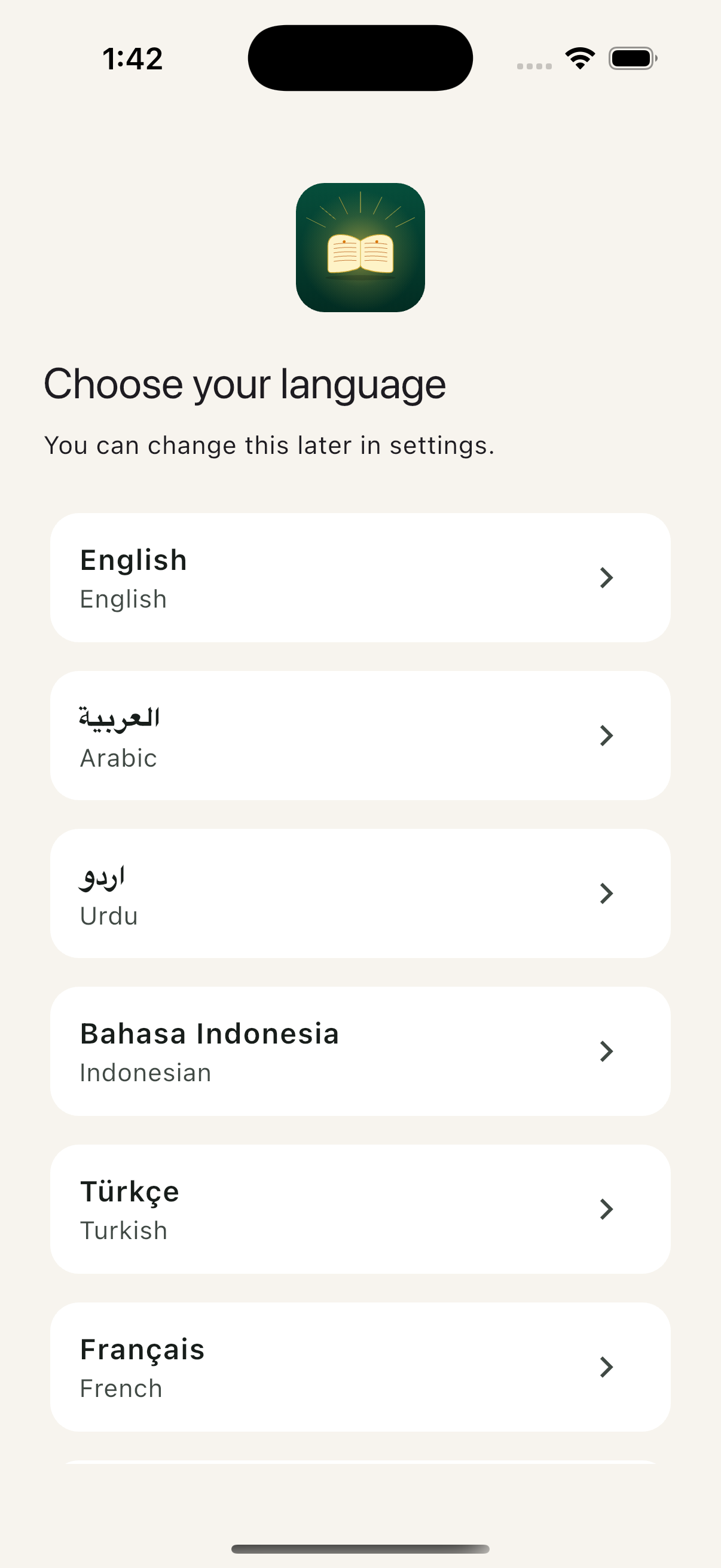
First launch. Eight languages. The illuminated‑book mark sits above as your anchor. Onboarding then asks how connected you feel to your deen and which madhhab you follow, and explains location and notifications before asking for them, before you land on the home screen.
Land on the home screen.
The home view is the daily rhythm — Assalamu alaikum, the next prayer countdown, current weather, today's Hijri date, today's prayer tracker (five dots: Fajr, Dhuhr, Asr, Maghrib, Isha), and the daily ayah. Five tabs at the bottom: Home, Qur'an, Hadith, Prayer, Tools.
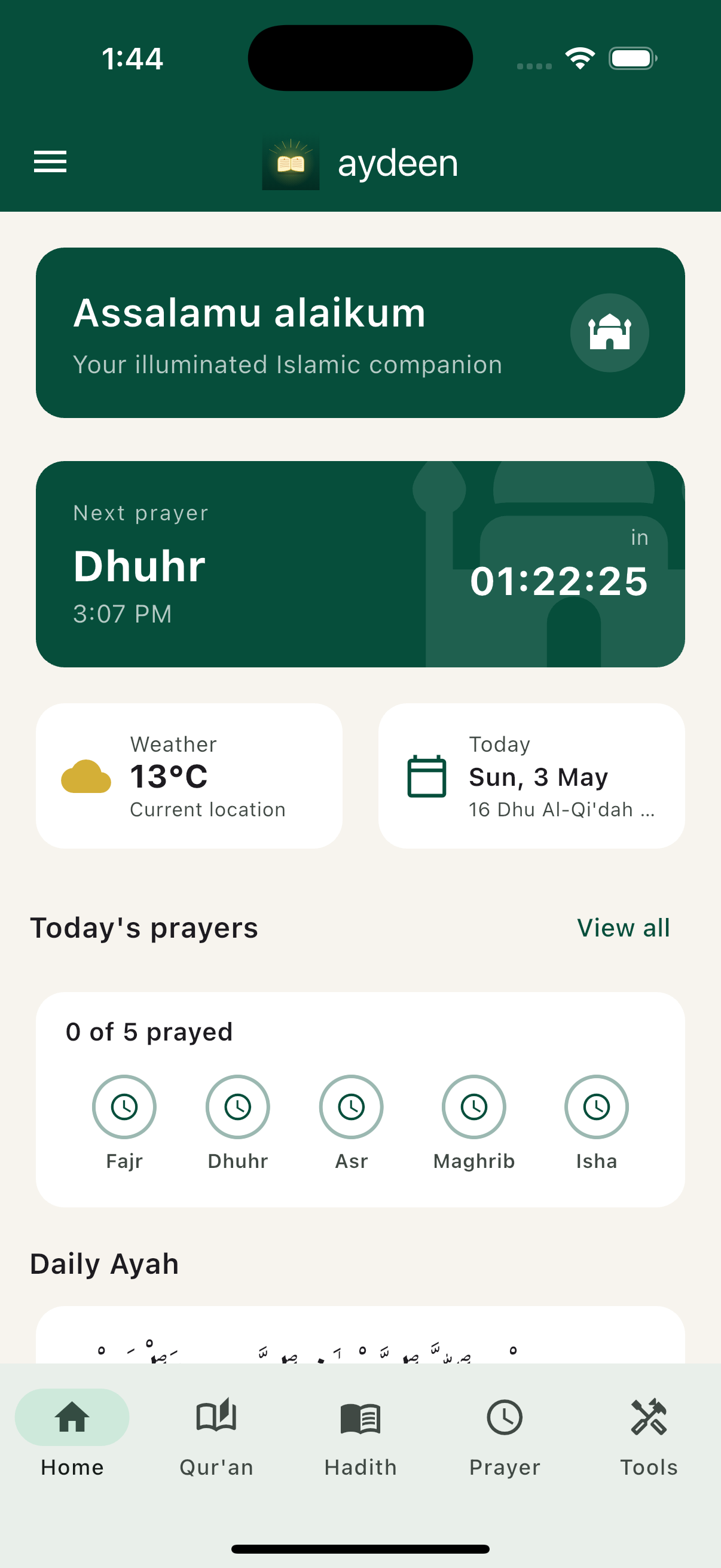
Home. Quiet by design. The next‑prayer countdown is the largest element on the screen, and you tap a prayer in the tracker the moment after you finish it.
Open the Tools tab.
Tap Tools in the bottom tab bar. The grid is grouped by purpose — Ask (Ask a Question, Verify Hadith / Ayah), Qur'an & Du'a (Qur'an, Bookmarks, Du'as), Prayer (Prayer times, Tracker, Qibla, Tasbeeh, Reminders), and Hajj/Umrah and travel sections further down.
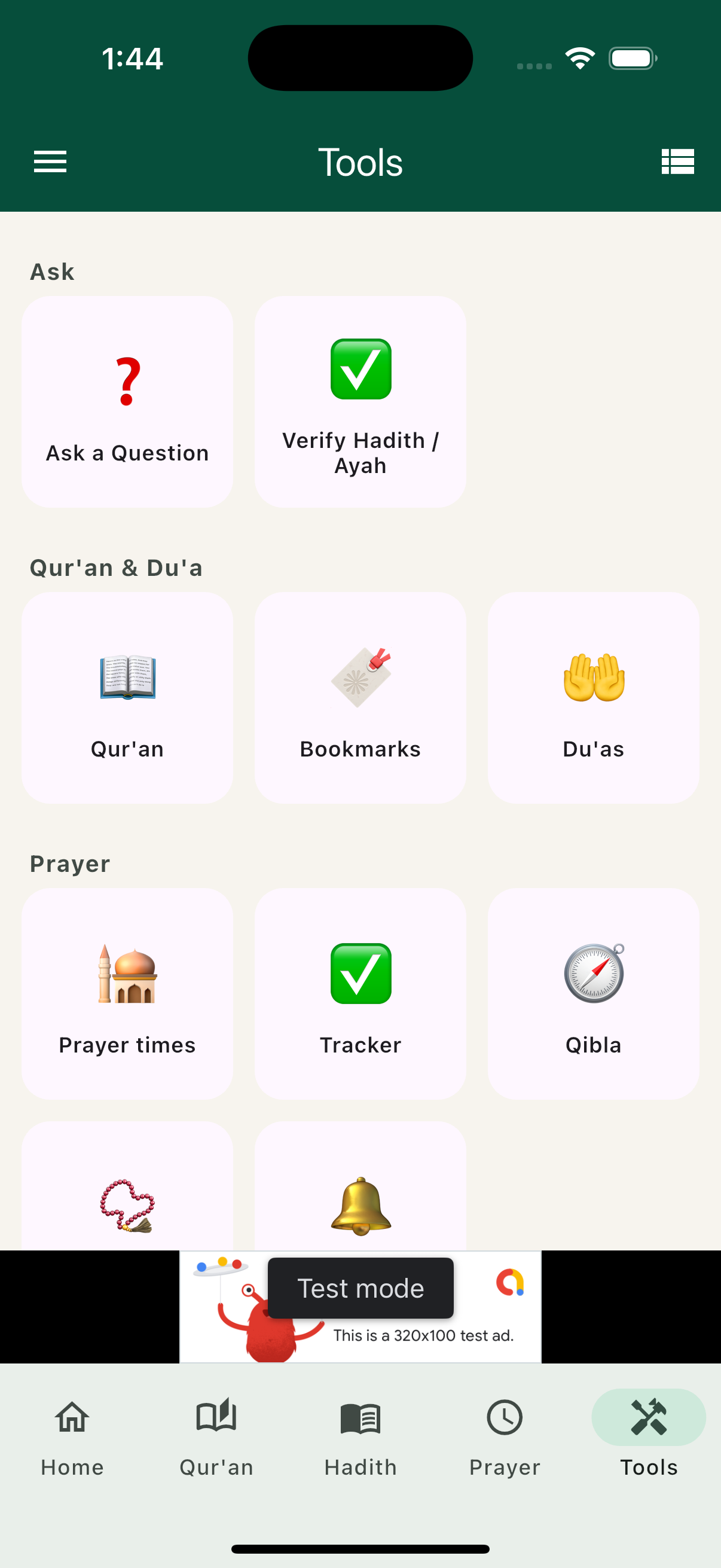
Tools, grouped. Verify Hadith / Ayah sits next to Ask a Question in the Ask group, at the top of the grid. Tap it to open the two‑path Verify screen.
Pick a path on the Verify screen.
The Verify screen is two cards stacked: Verify on this device at the top (free, instant, text only) and Verify with AI (chat) below (free 5/month, Premium 100/month, text or image). The on‑device card also shows how many hadith collections you've downloaded for offline matching, and a one‑tap Download missing books button if you haven't grabbed them yet.
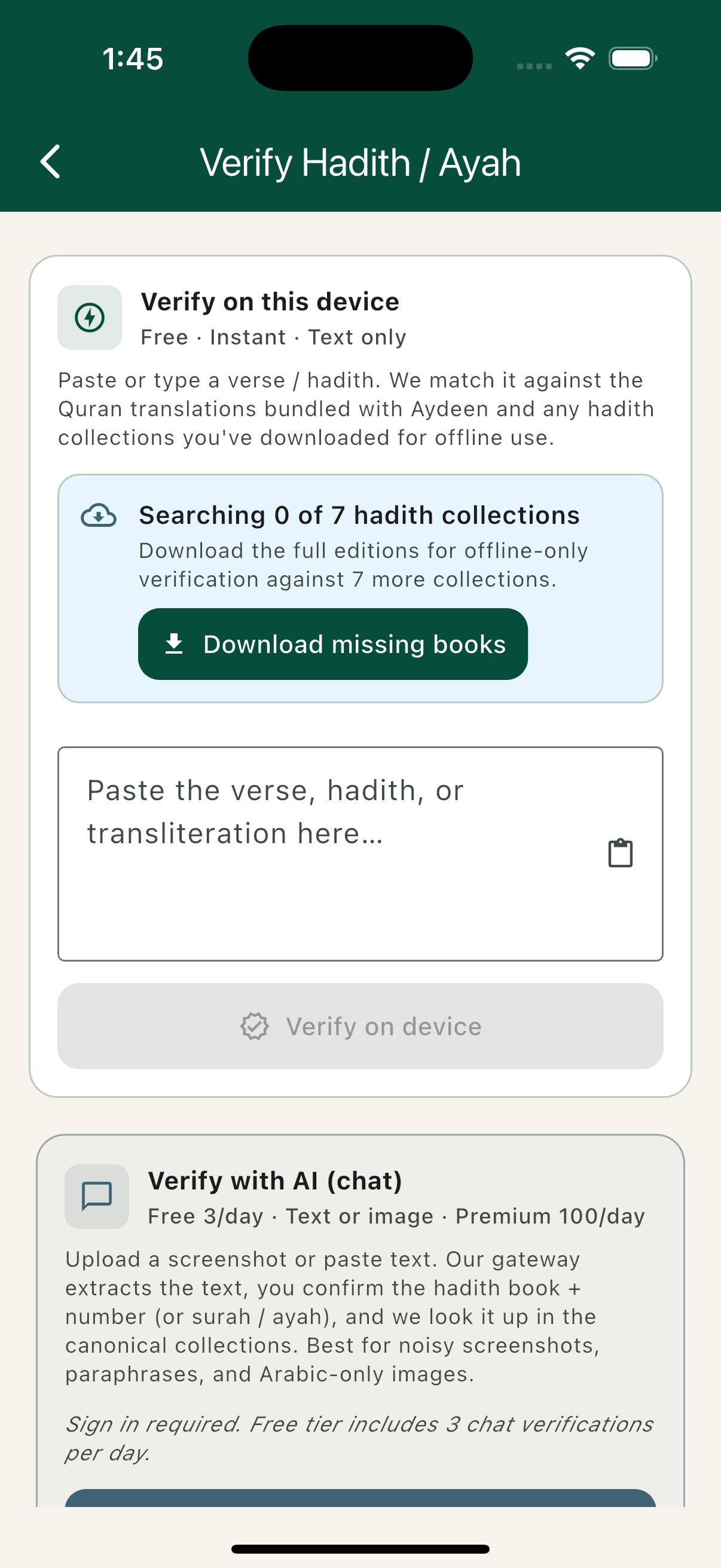
Two paths, one screen. On‑device for text you can paste cleanly. AI chat for images, screenshots, and paraphrases.
Path A — paste text and verify on device.
Got a verse in plain text? Paste or type it into the field, tap Verify on device, and Aydeen runs a local match against the bundled Qur'an translations plus any hadith books you've downloaded. The whole match takes a fraction of a second and never touches the network.
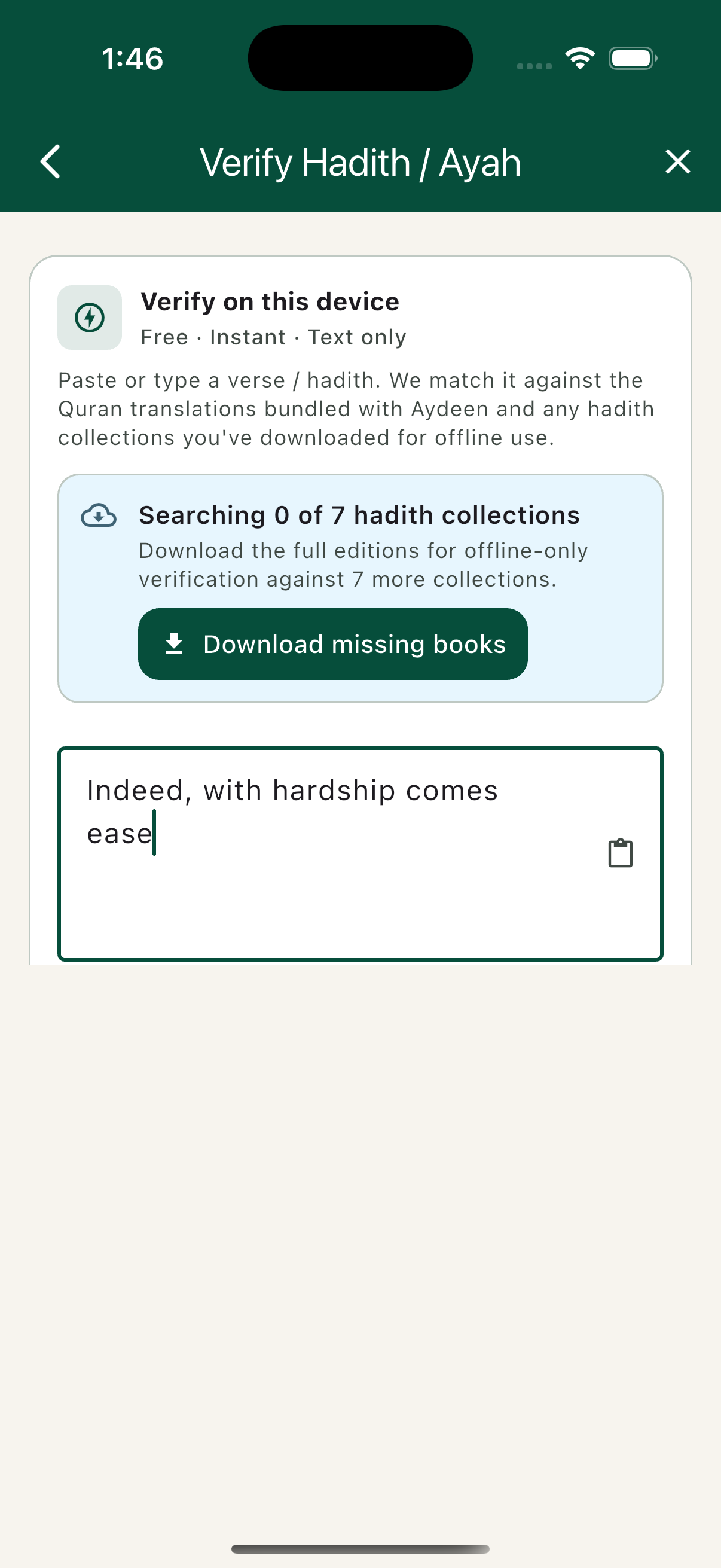
Pasted & ready. The clipboard icon on the right pastes whatever you copied last. The match is local — your text never leaves the phone.
Path B — upload the image to AI chat.
Got a beautifully designed graphic with the verse in Arabic only? Tap Verify with AI (chat), sign in if asked, and take a photo or pick the screenshot from your gallery. Before your first server check, a dialog explains what is sent and asks for your consent. Our server reads the text with AI (OpenAI). You confirm the suggested book + number (or surah / ayah), and Aydeen looks it up in the canonical collections. The free tier covers five checks a month; Premium lifts that to a hundred. Aydeen's server doesn't keep the image, and only the match is saved, to the Verify history on your phone.
Read the result — text, citation, confidence.
Either path lands on the same result view: the canonical Arabic, the English (or your selected language) translation, the source citation, and a confidence score. If the image was misattributed, the citation will differ from what the image claimed. If the text isn't in the canonical corpus, Aydeen says so plainly rather than guessing.
And that's the whole flow. Below is a simplified sketch of a successful Qur'an match; the card in the app also lists each bundled translation.
إِنَّ مَعَ الْعُسْرِ يُسْرًا
"Indeed, with hardship [will be] ease." (Saheeh International)
What's actually happening under the hood
Path A — Verify on this device:
- Your text stays on the phone. No network call, no Firebase Auth ping, no analytics on the verse you typed.
- The match runs against the Qur'an translations bundled with Aydeen and any hadith collections you've downloaded for offline use.
- The match is local, returns in a fraction of a second, and works on a plane.
Path B — Verify with AI (chat):
- The image (or text) is sent from your device to Aydeen's verification server. The request carries your Firebase sign‑in token and is checked with Firebase App Check.
- The server uses OpenAI to read the text in the image and, when a direct comparison of the wording finds nothing, to help match it. Your user ID, name, email and location are not sent to OpenAI.
- The extracted text comes back and the candidate match is shown to you with the suggested book + number (or surah / ayah), which you can edit. Aydeen's server doesn't keep the image; OpenAI may hold the request for up to 30 days for abuse monitoring, and doesn't train on it.
- You confirm, and the match is saved to the Verify history on your phone. The original image is not part of it.
- Free tier: 5 chat verifications per month. Premium: 100 per month. The count resets at the start of each month (UTC).
What the server check sends, and to whom, is in our privacy policy, §4.3 and §6.
Honest limits
A few things Verify deliberately does not pretend to do:
- It is not a fatwa engine. Verify tells you whether a piece of text is in the canonical corpus. It does not interpret it for your situation. For matters of personal status — marriage, divorce, inheritance, complex rulings — please consult a qualified scholar.
- It does not grade hadith authenticity beyond the canonical record. If a narration is in Bukhari, Verify will tell you the citation; classical authenticity classification (sahih, hasan, da'if) is shown when the source explicitly carries it, but the deeper isnad analysis is the work of muhaddithun, not an app.
- Confidence is just a confidence score. A 99% match is excellent; a 78% match means "close to this canonical text, you should read both and judge". A "no match" result means the text isn't in the corpus we cover — which is itself useful information.
Try it on something that's been bothering you
Most people, the first time they use Verify, scroll back through their family WhatsApp group looking for that one image they always wondered about. That's the exact use case we built it for. Aydeen is free to download on the App Store and Google Play.
Got a use case you wish Verify supported? Email [email protected] — we read everything.