
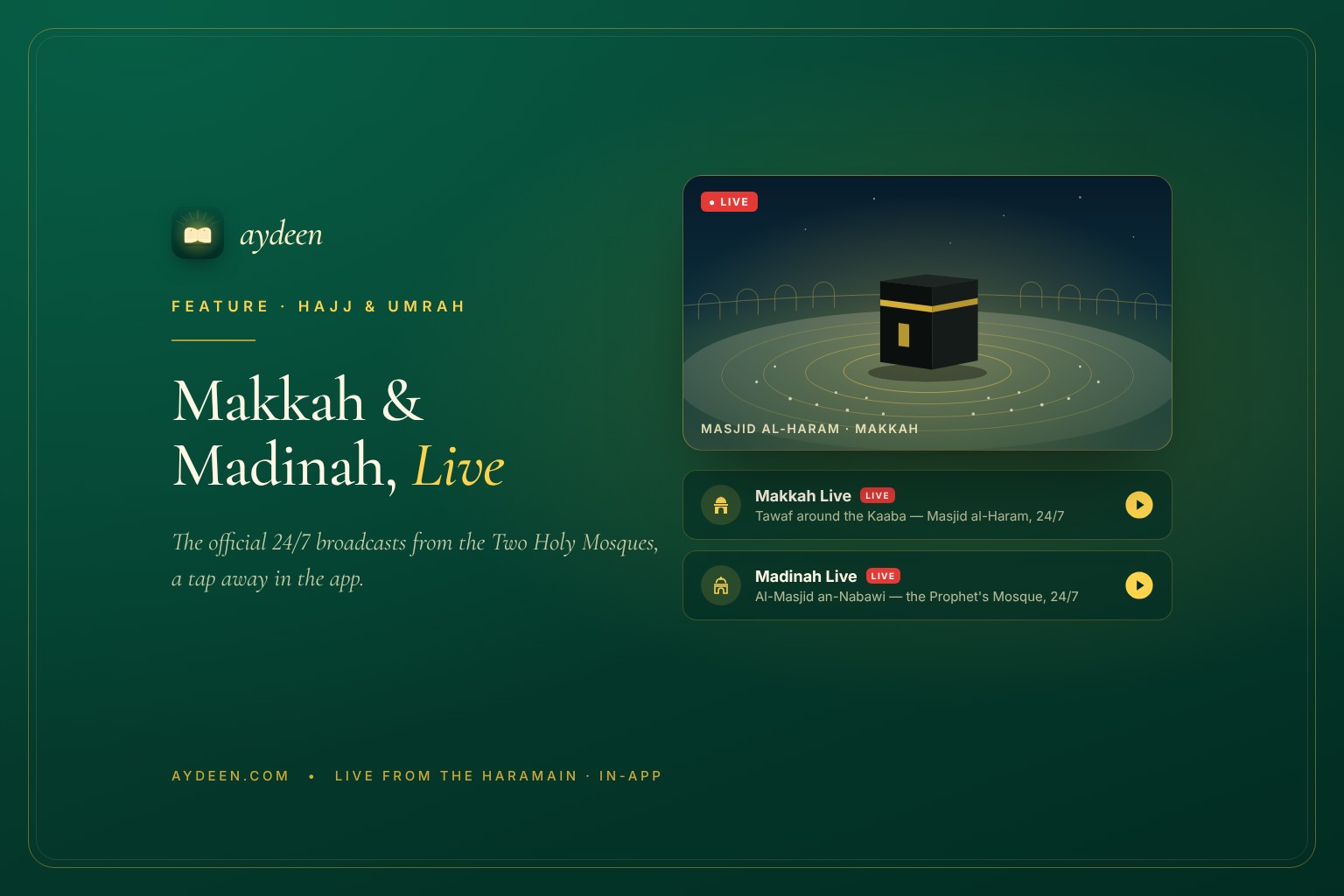
For many Muslims, the first sight of the Kaaba is a moment they carry for life. For everyone else, and for everyone between journeys, there is the live broadcast: the mataf turning around the Kaaba at every hour of the day and night, and the calm of the Prophet's Mosque in Madinah. Aydeen brings both official 24/7 streams into one screen. Pick Makkah or Madinah, and the broadcast plays right there in the app. You don't need to search YouTube, scroll past copies of old streams, or guess which channel is the real one.
Why people keep the Haramain on
People open the live streams for all sorts of reasons. A few we hear most often:
- Before an Umrah or Hajj. Watching the flow of Tawaf helps first-time pilgrims picture the mataf before they're in it. It pairs well with our guide to keeping count of your seven rounds.
- While family are travelling. Parents at home often watch while a son or daughter is in Makkah, knowing their loved one is somewhere in that crowd.
- For the prayers. Many people tune in to hear the adhan and the imams' recitation. Ramadan nights are especially busy.
- For a quiet minute. Some people simply leave it on in the background of a long day, as a reminder of what matters.
You may be thousands of miles away, but the Kaaba is never more than a tap from your pocket.
How to watch Makkah live in Aydeen, step by step
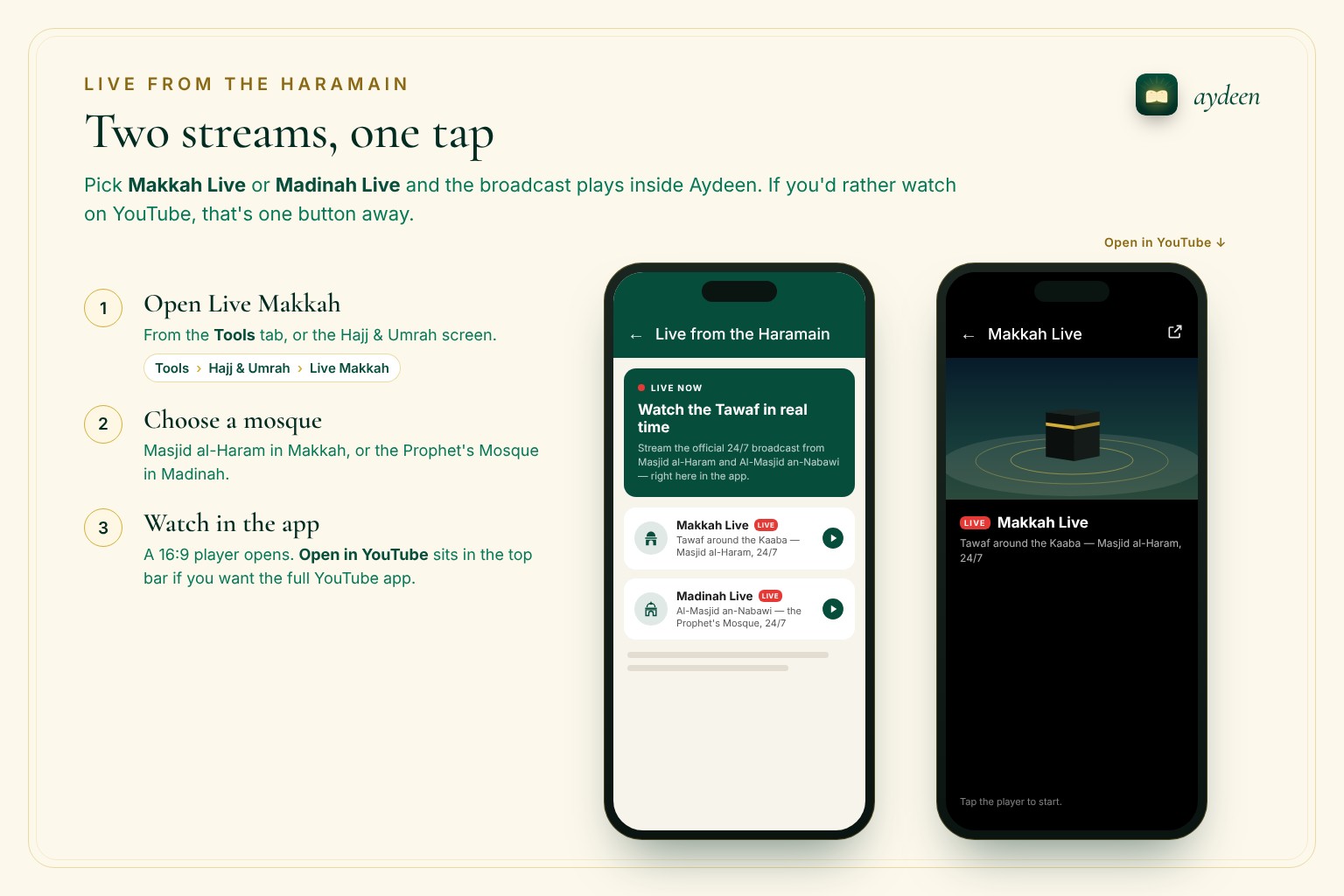
Open Live Makkah
Go to the Tools tab and, in the Hajj & Umrah section, tap Live Makkah. You can also reach it from the Hajj & Umrah screen, where it's listed as Live from the Haramain: Watch the Tawaf around the Kaaba — 24/7 from Makkah & Madinah.
Choose Makkah or Madinah
The screen has two cards, each marked LIVE. Makkah Live shows the Tawaf around the Kaaba at Masjid al-Haram. Madinah Live shows Al-Masjid an-Nabawi, the Prophet's Mosque.
Let it start, or tap the player
A 16:9 player opens with the stream's name and a short description beneath it. Aydeen asks the stream to start on its own. If it doesn't, tap the player once.
Prefer YouTube? One tap
The Open in YouTube button sits in the top bar the whole time. It opens the same live stream in the YouTube app, or your browser if you don't have the app. Tapping the YouTube logo or the video title inside the player does the same, and Aydeen's player stays where it is.
What you're watching
Both streams come from Saudi Arabia's official channels on YouTube. Aydeen doesn't film, record or re-host anything. It plays the channel's live feed in YouTube's own player.
| In the app | Mosque | Broadcast |
|---|---|---|
| Makkah Live "Tawaf around the Kaaba — Masjid al-Haram, 24/7" | Masjid al-Haram, Makkah | Saudi Quran TV (قناة القرآن الكريم) |
| Madinah Live "Al-Masjid an-Nabawi — the Prophet's Mosque, 24/7" | Al-Masjid an-Nabawi, Madinah | Saudi Sunnah TV (قناة السنة النبوية) |
One design choice matters more than it looks. Each live video on YouTube gets its own address, and that address dies when a broadcast ends or restarts. That's why links you saved last month often stop working. Aydeen points at each channel's live feed instead, so it always shows whatever the channel is broadcasting now.
Not a ruling
Watching the broadcast isn't the same as being in the congregation. Questions such as whether you can follow a broadcast imam in your own prayer are fiqh questions. Please ask a qualified scholar you trust.
When to tune in: Makkah time vs. your time
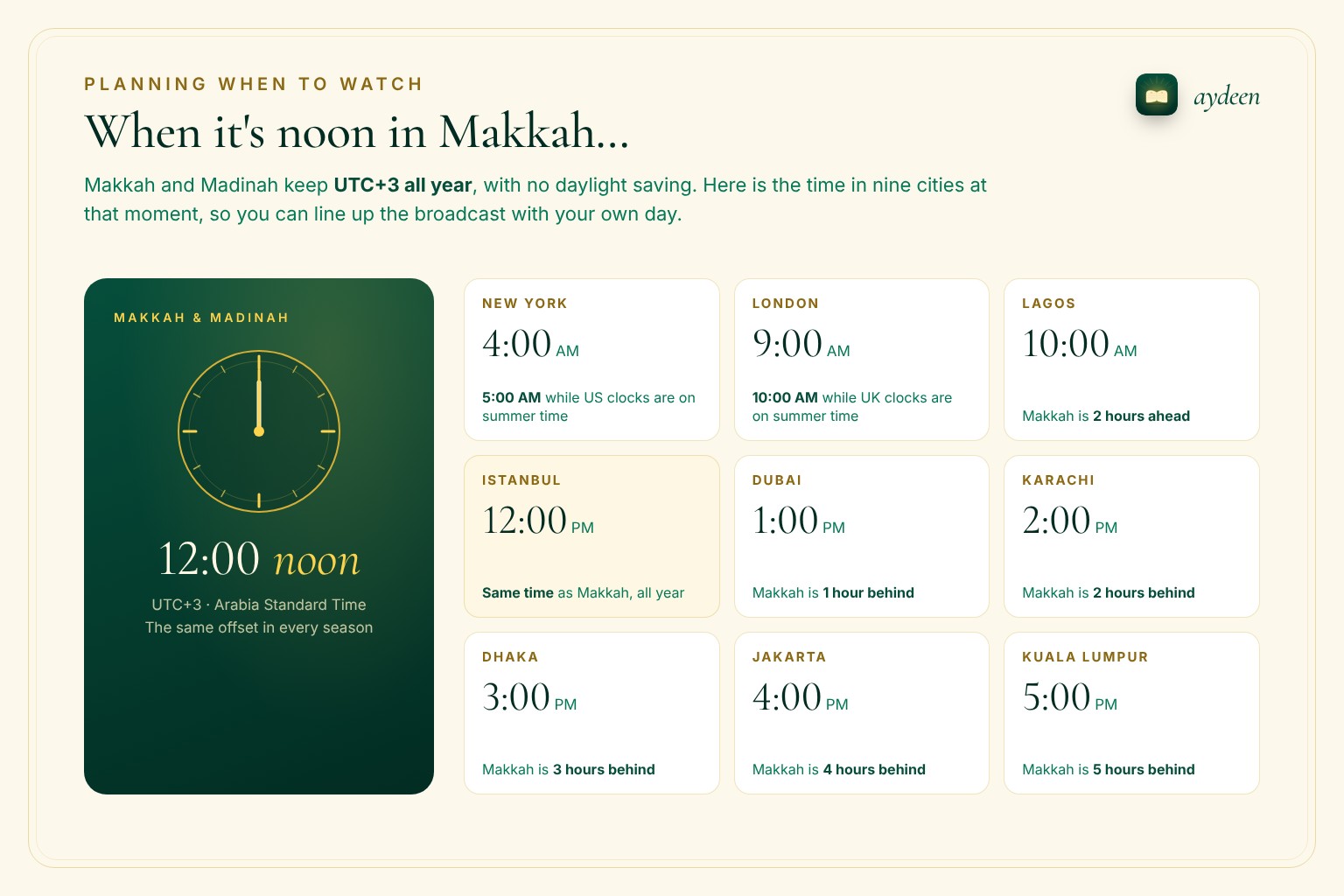
Saudi Arabia keeps UTC+3 (Arabia Standard Time) all year and doesn't use daylight saving. So the gap between Makkah and your city only changes when your clocks go forward or back. Here's the time in nine cities when it's noon in Makkah:
| City | Local time | Difference |
|---|---|---|
| New York | 4:00 AM (5:00 AM on US summer time) | Makkah is 8 hours ahead (7 in summer) |
| London | 9:00 AM (10:00 AM on UK summer time) | Makkah is 3 hours ahead (2 in summer) |
| Lagos | 10:00 AM | Makkah is 2 hours ahead |
| Istanbul | 12:00 PM | Same time, all year |
| Dubai | 1:00 PM | Makkah is 1 hour behind |
| Karachi | 2:00 PM | Makkah is 2 hours behind |
| Dhaka | 3:00 PM | Makkah is 3 hours behind |
| Jakarta | 4:00 PM | Makkah is 4 hours behind |
| Kuala Lumpur | 5:00 PM | Makkah is 5 hours behind |
Good to know
Want to catch a particular prayer live? Prayer times in Aydeen are for your location. To see Makkah's own times, search "Makkah" on our web prayer-times page. It shows each place's times in that place's time zone. For why apps can differ by a few minutes, see why Fajr and Isha times vary.
If a stream won't load
Live video depends on YouTube, the broadcaster and your connection, so now and then a stream won't start. Aydeen keeps the official channel as a built-in fallback. If we ever point the app at a different stream and that stream fails, the player drops back to the official one by itself. If nothing plays, you'll see Couldn't load the stream with two buttons: Try again and Open in YouTube.
- Check your connection. Wi-Fi is the most reliable option, and it saves your mobile data too.
- Tap Try again. A brief blip on YouTube's side often clears in seconds.
- Make sure Aydeen is up to date. We keep improving the player, so the latest version from the App Store or Google Play is the best bet.
- Use Open in YouTube. If the in-app player still won't start, the same broadcast is a tap away in the YouTube app.
Honest limits
- It needs the internet. Unlike Aydeen's prayer times, Qur'an and Tawaf counter, live video can't work offline, and streaming uses data.
- Live only. Aydeen doesn't record, save or download the broadcasts, and there's no audio-only or background mode.
- The broadcaster decides what's on screen. Camera angles, captions and any breaks are up to the channel. The player is YouTube's, so YouTube's own rules for embedded video apply.
- Ads on the free tier. Some screens show non-personalised, G-rated banner ads; Premium removes them (from $6.99/month in the US — see in-app for your local price).
Frequently asked questions
Is the Makkah live stream in Aydeen free?
Yes. Makkah Live and Madinah Live are free and don't need an account. You only need an internet connection, because the broadcast streams from YouTube.
Which channels does Aydeen show?
Makkah Live plays Saudi Quran TV's 24/7 broadcast from Masjid al-Haram, and Madinah Live plays Saudi Sunnah TV's 24/7 broadcast from Al-Masjid an-Nabawi. Aydeen plays each channel's live feed in YouTube's player; it doesn't record or re-host anything.
Why won't the live stream play?
Check your connection first, then tap Try again. Make sure Aydeen is up to date. If the in-app player still won't start, tap Open in YouTube to watch the same broadcast in the YouTube app.
What time is it in Makkah?
Makkah and Madinah use UTC+3 (Arabia Standard Time) all year, with no daylight saving. When it's noon in Makkah, it's 9:00 AM in London in winter, 2:00 PM in Karachi and 4:00 PM in Jakarta.
May Allah invite you to His House soon. If there's a broadcast or feature you'd like to see in Aydeen, email [email protected] — we read everything.